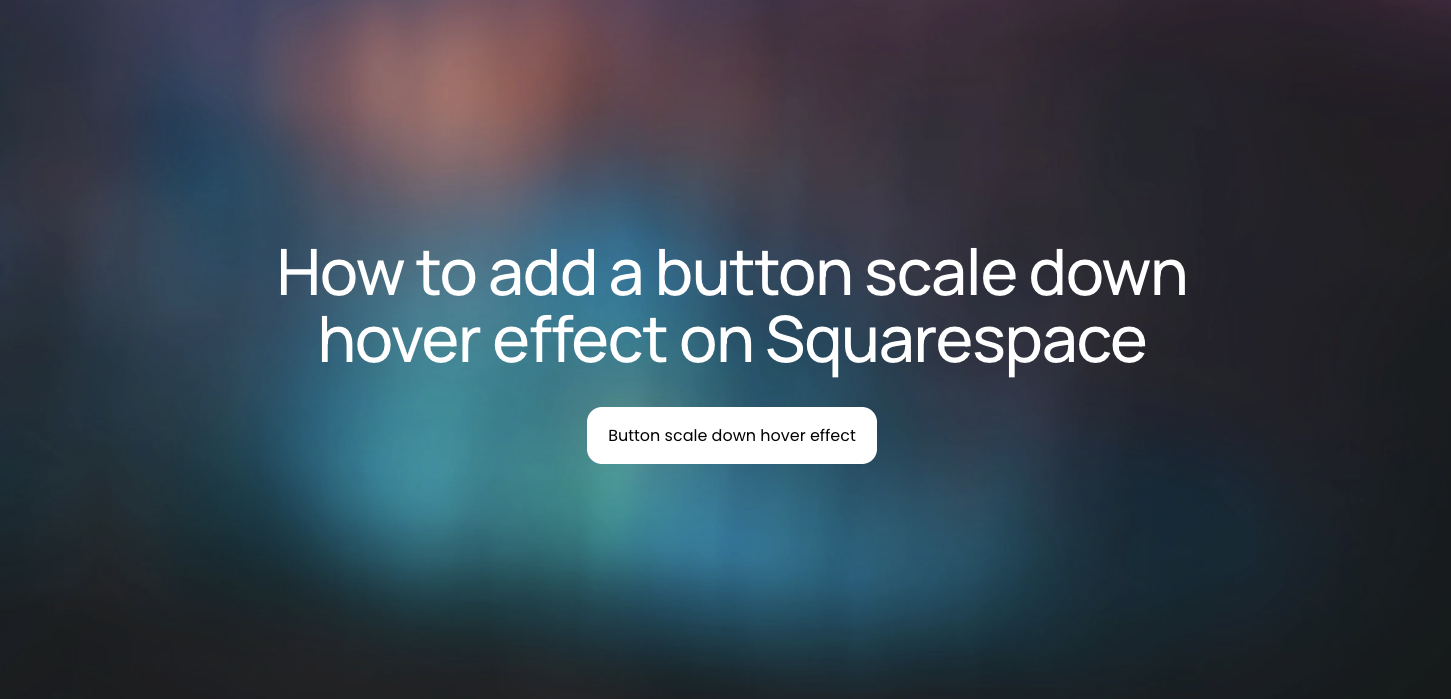
How to add a button scale down hover effect on Squarespace
Learn how to implement a subtle button scale down hover effect on Squarespace using custom CSS to create a more refined and responsive user experience.
In this tutorial:
What is button scale down hover effect in Squarespace?
How to create a button scale down hover effect on Squarespace
How a button scale down hover effect works for visitors
Why use button scale down hover effect on a high-quality Squarespace site
Final thoughts

Start your project
Start your project with a free discovery call and see how we can bring your vision to life.
What is button scale down hover effect in Squarespace?
A button scale down hover effect is a CSS transformation applied to buttons that reduces their size slightly when hovered over. Instead of growing, the button scales below 100 percent of its original size, typically between 0.9 and 0.97.
This effect is often used when brands want:
A more tactile, “press” interaction style
A refined and understated motion aesthetic
A premium feel that avoids overly playful animations
Clear feedback on high-intent calls to action
On a high-quality Squarespace site, this type of motion feels intentional rather than decorative. It enhances clarity without distracting from the message or offer.
Need an expert to build your Squarespace website?
Book a free kick-off call with our team to discuss your project requirements in detail.
How to create a button scale down hover effect on Squarespace
To implement a button scale down hover effect, you will add custom CSS to your site. The process is straightforward, but precision matters.
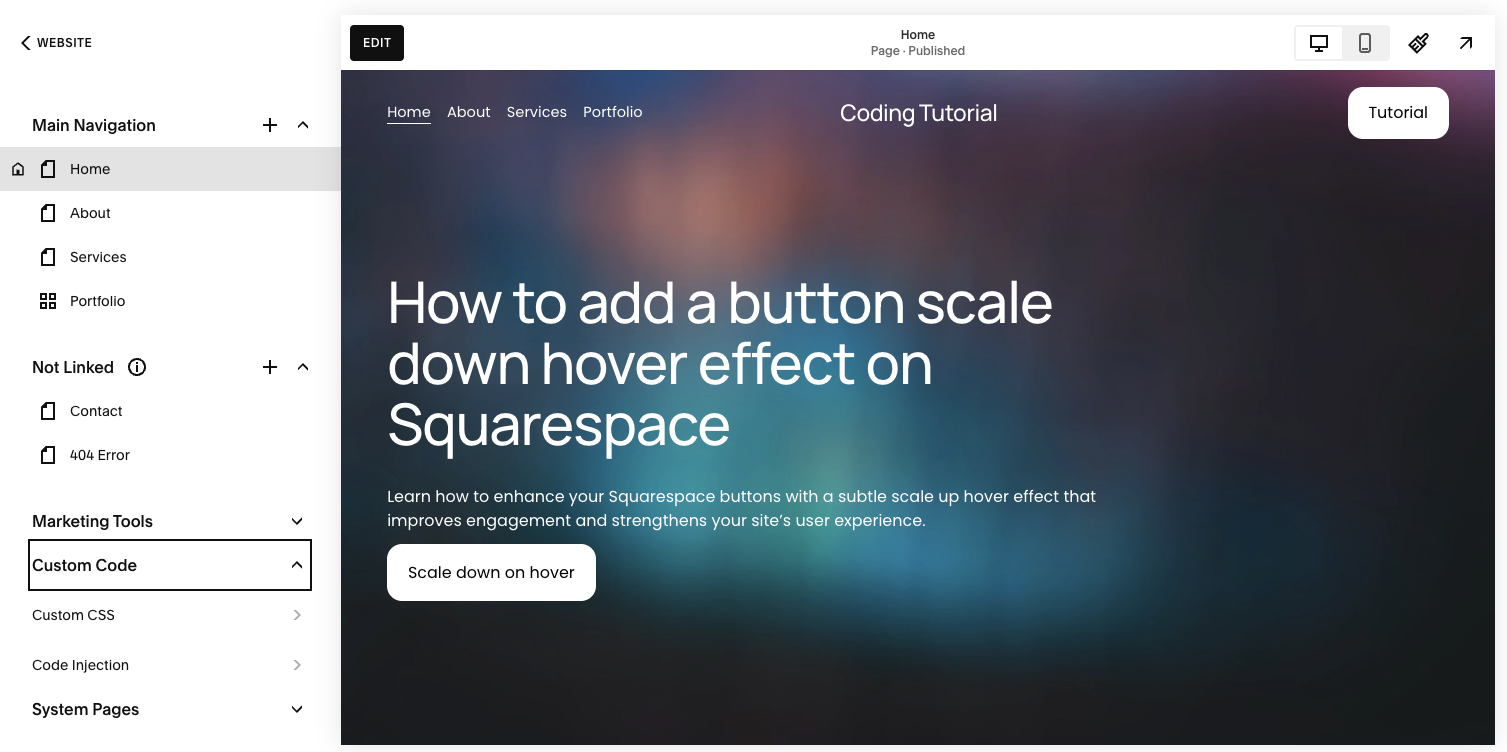
Step 1: Open the Custom CSS panel
Log in to your Squarespace dashboard.
Navigate to your website.
Click Pages in the left menu.
Scroll down and select Custom CSS under Custom Code.
This is where you can safely extend Squarespace’s native styling.
Step 2: Add the scale down hover effect CSS
Copy and paste the following code into the Custom CSS editor:
// Button scale down hover effect - Typza.com //
.sqs-button-element--primary {
transition: 0.3s;
}
.sqs-button-element--primary:hover {
transform: scale(0.9);
}
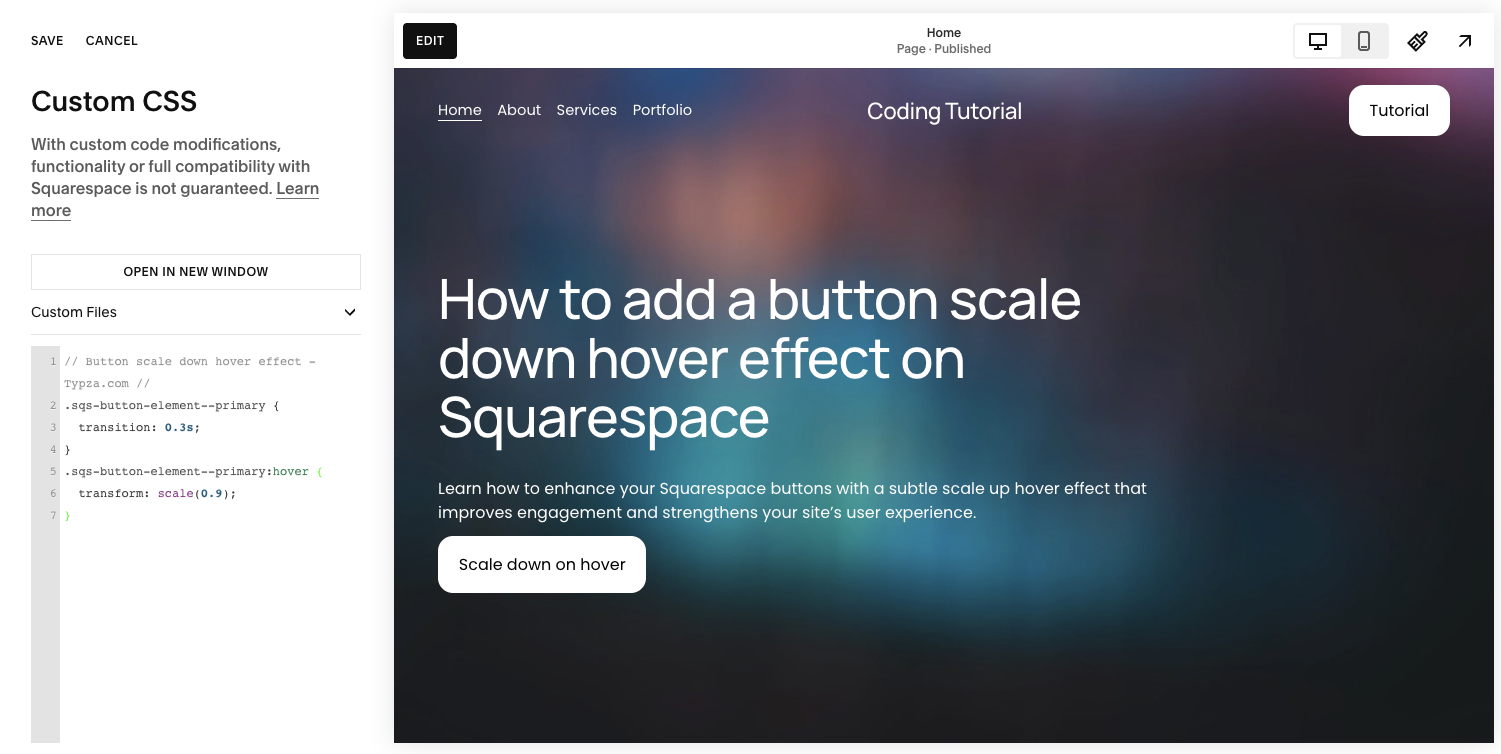
This code does two things:
Adds a smooth 0.3-second transition
Scales the button to 90 percent of its original size on hover
The transition ensures the motion feels fluid rather than abrupt.
Step 3: Save and test across devices
Click Save, then preview your site:
Test on desktop to confirm hover behavior
Check tablet and mobile views
Ensure the button alignment does not shift surrounding layout elements
Scaling changes can sometimes affect spacing, especially if buttons are tightly aligned.
Step 4: Fine-tune the scale value
If 0.9 feels too dramatic, adjust the value slightly:
scale(0.95)for a more subtle compressionscale(0.92)for a stronger tactile feel
For most professional brands, restraint is key. Subtle motion typically converts better than exaggerated animation.

How a button scale down hover effect works for visitors
A button scale down hover effect works for visitors by providing immediate visual confirmation that an element is interactive. When the button slightly shrinks, it mimics a physical press, reinforcing the action the user is about to take.
This interaction creates three key benefits:
Clarity: Visitors instantly understand the button is clickable.
Responsiveness: The interface feels reactive and modern.
Confidence: Subtle feedback reduces hesitation before clicking.
Well-implemented motion lowers cognitive load. Instead of wondering whether a button is active, the visitor receives instant confirmation through movement.
On conversion-focused pages, that small improvement in interaction clarity can compound into measurable gains.
Why use button scale down hover effect on a high-quality Squarespace site
For serious businesses, design is not decoration. It is a performance lever.
A button scale down hover effect enhances:
Brand perception through refined motion
Interaction clarity on high-value calls to action
Overall user experience without adding visual clutter
However, poorly implemented CSS can cause:
Layout shifting
Conflicts with other transformations
Inconsistent behavior across browsers
Overlapping issues in mobile breakpoints
Professional implementation ensures the animation aligns with your broader design system. Motion should feel cohesive across buttons, links, navigation, and interactive components.
For companies positioning themselves as premium, these details matter.
Final thoughts
A button scale down hover effect is a simple yet powerful enhancement for a Squarespace site. It adds tactile responsiveness, improves clarity, and reinforces brand polish without overwhelming the interface.
While the code itself is minimal, thoughtful execution is what separates a functional site from a conversion-optimized one. Founders and product leaders building serious brands benefit from ensuring micro-interactions support the overall strategy, not just aesthetics.
If your site is meant to convert, not just exist, precision in details like this is where professional execution makes the difference.
Start your project
Start your project with a free discovery call and see how we can bring your vision to life.
Don’t miss these tutorials